Leica SL3 Interface
Leica SL3 Interface
Leica SL3 Interface
Shaping the next-generation experience for the cameras
Shaping the next-generation experience for the cameras
Shaping the next-generation experience for the cameras
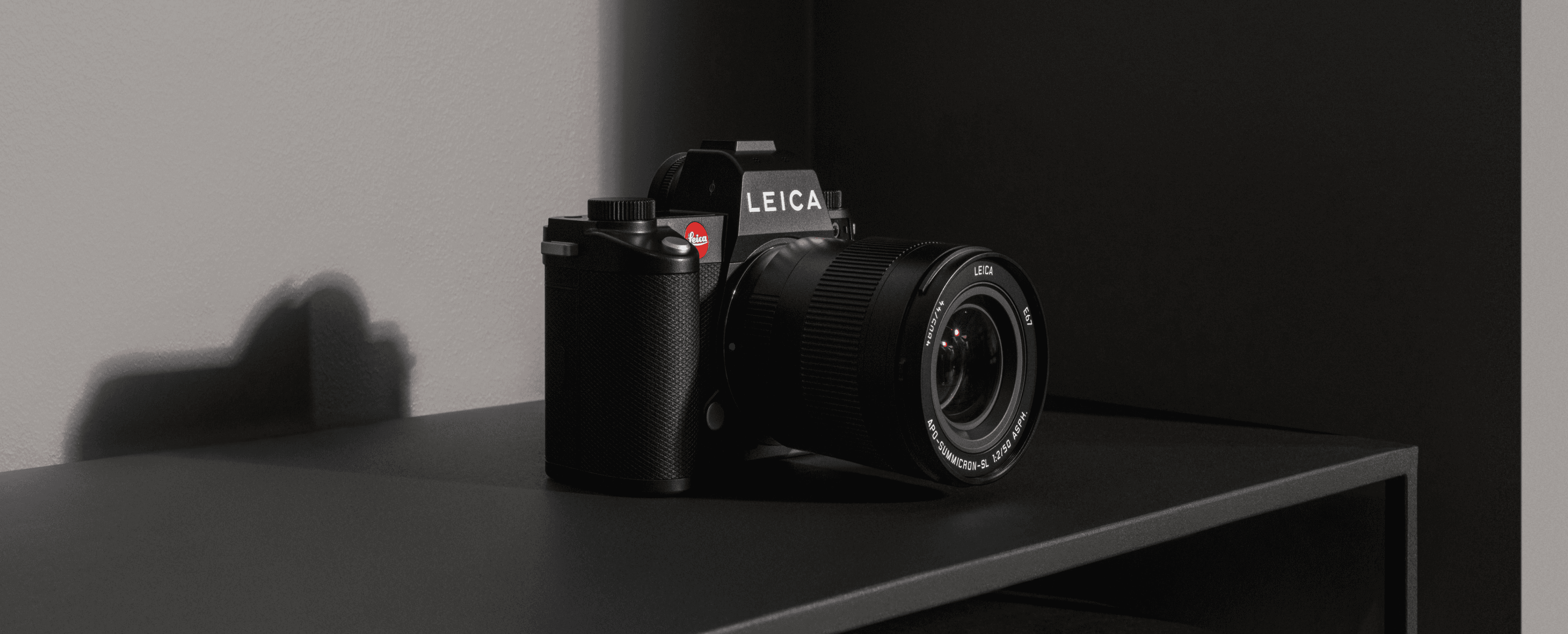
Our goal was to bring Leica’s essentialist philosophy into a new digital experience — simple, intuitive, and unmistakably Leica in both feel and form.
The previous experience was already functional and robust, but we evolved interactions to enhance usability, and visual language — keeping the interface familiar for existing users while making it more approachable for the next generation of photographers.
Our goal was to bring Leica’s essentialist philosophy into a new digital experience — simple, intuitive, and unmistakably Leica in both feel and form.
The previous experience was already functional and robust, but we evolved interactions to enhance usability, and visual language — keeping the interface familiar for existing users while making it more approachable for the next generation of photographers.
Our goal was to bring Leica’s essentialist philosophy into a new digital experience — simple, intuitive, and unmistakably Leica in both feel and form.
The previous experience was already functional and robust, but we evolved interactions to enhance usability, and visual language — keeping the interface familiar for existing users while making it more approachable for the next generation of photographers.
User experience
User experience
Brand
Brand
Visual design
Visual design
Design system
Design system
Challenges
Challenges
We partnered with the Leica team to identify key challenges to elevate the brand experience:
We partnered with the Leica team to identify key challenges to elevate the brand experience:
We partnered with the Leica team to
identify key challenges to elevate the brand experience:
Lacks clarity, simplicity, and precision
Lacks clarity, simplicity, and precision
Lacks clarity, simplicity, and precision
Limited interaction options
Limited interaction options
Limited interaction options
Brand heritage not reflected in visual language
Brand heritage not reflected in visual language
Brand heritage not reflected in visual language
Inconsistent experience across products
Inconsistent experience across products
Inconsistent experience across products
Limited personalisation options
Limited personalisation options
Limited personalisation options
Limited personalisation options
Limited personalisation options
Design evolution
Design evolution
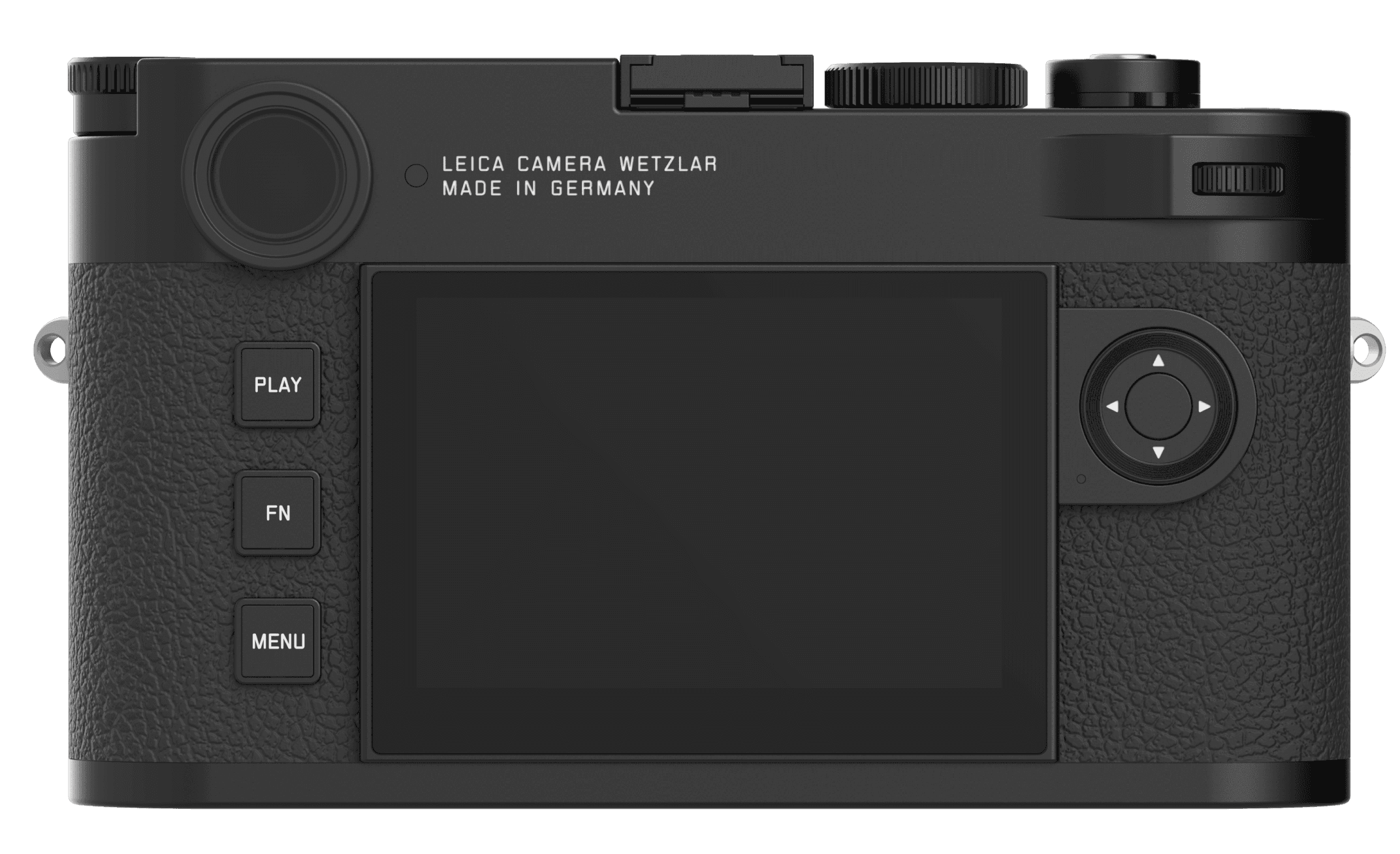
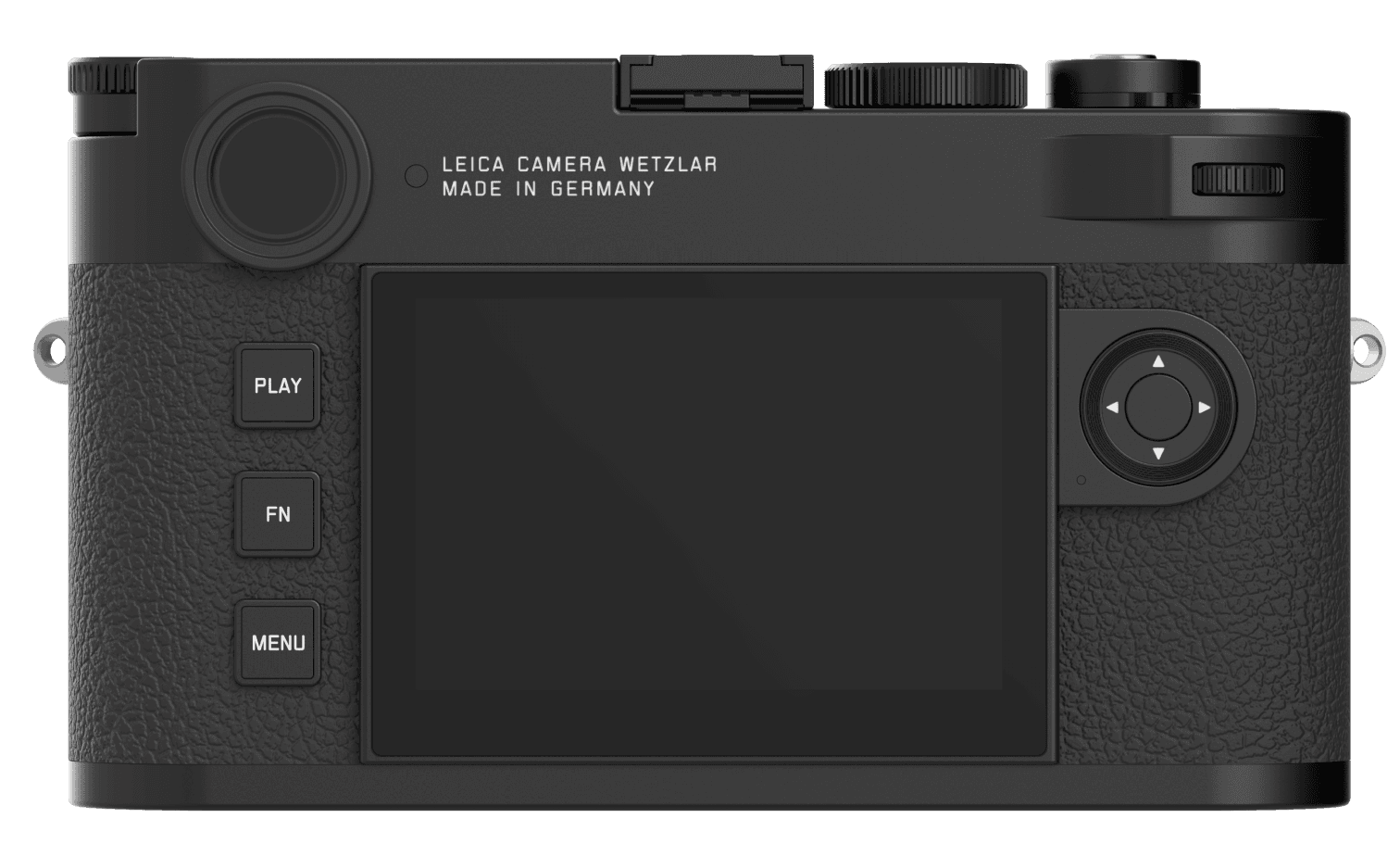
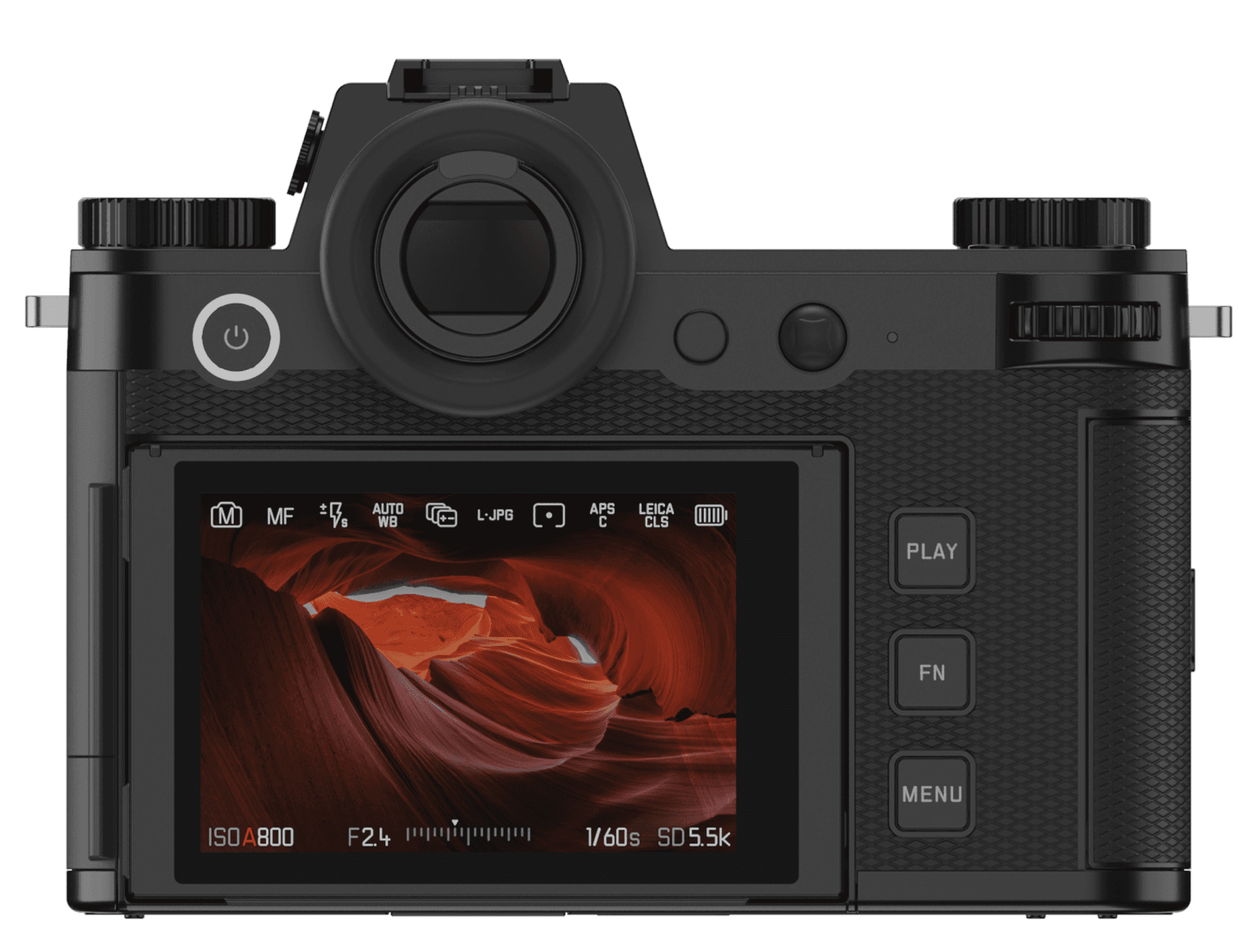
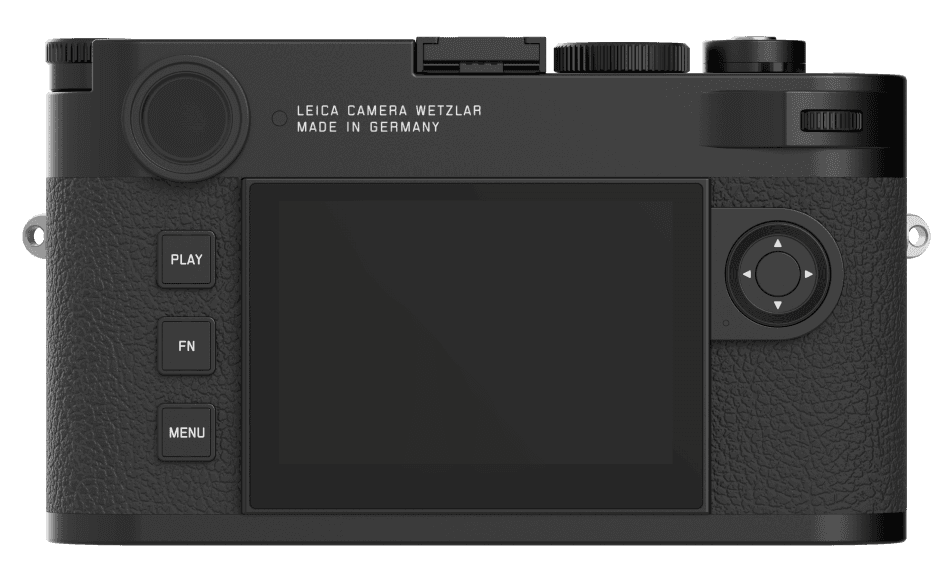
Explore the evolution from the Leica M11 (left) to the SL3 (right).
Visual language crafted for speed, precision and usability
Explore the evolution from the Leica M11 (left) to the SL3 (right).
Visual language crafted for speed, precision and usability
Explore the evolution from the Leica M11 (left) to the SL3 (right). Visual language crafted for speed, precision and usability
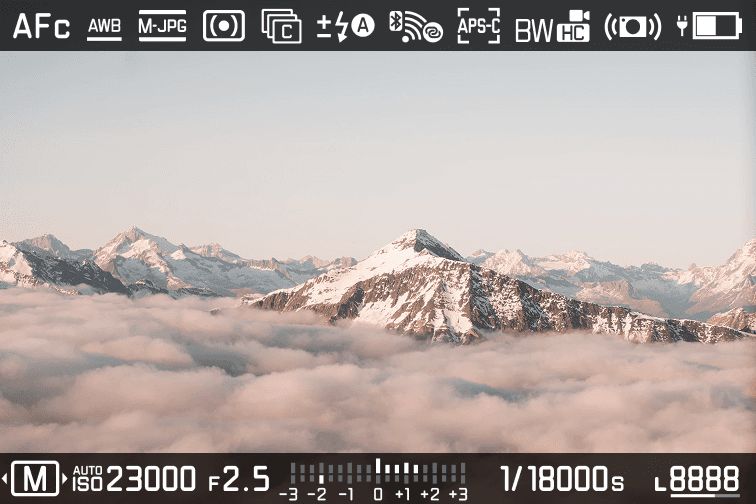
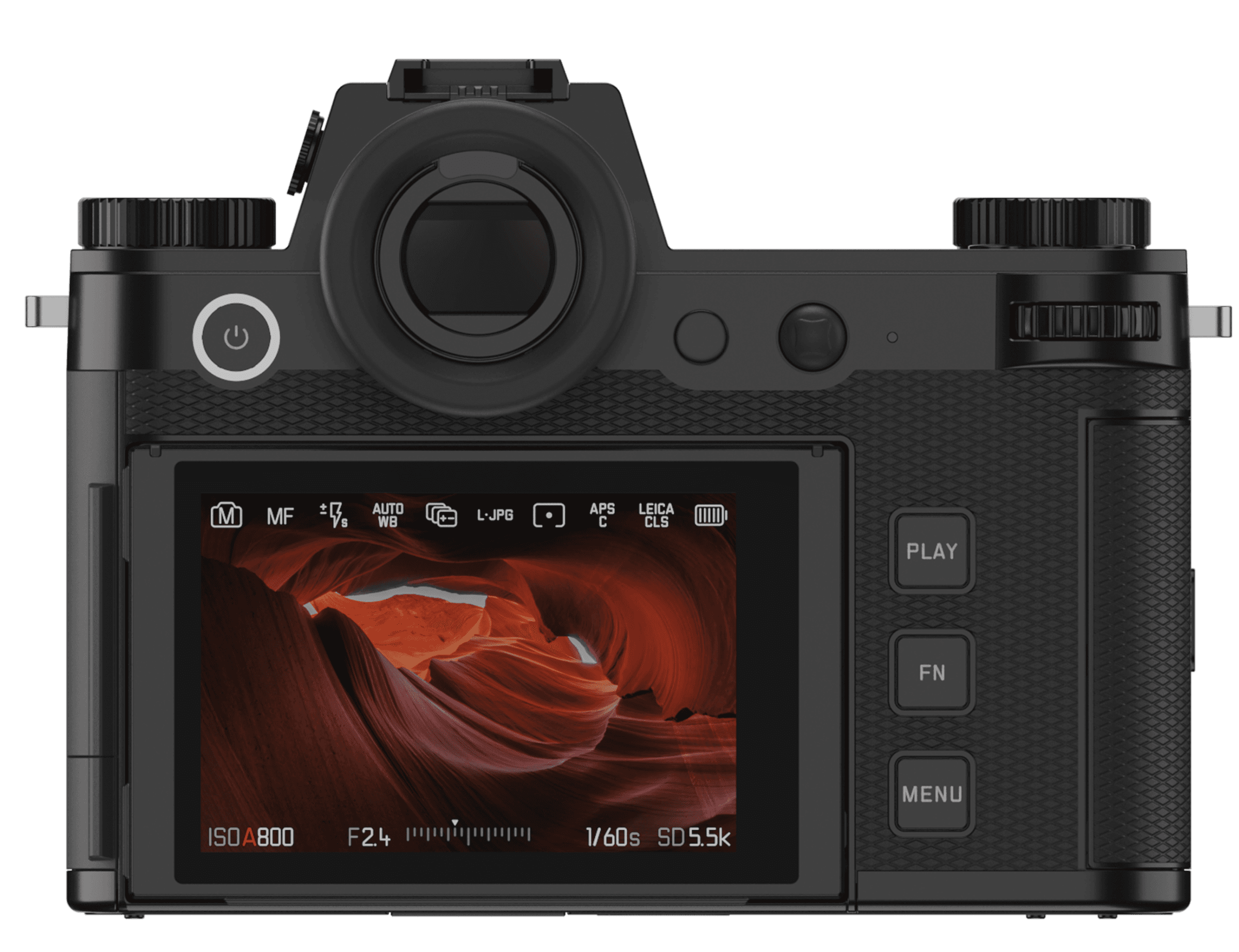
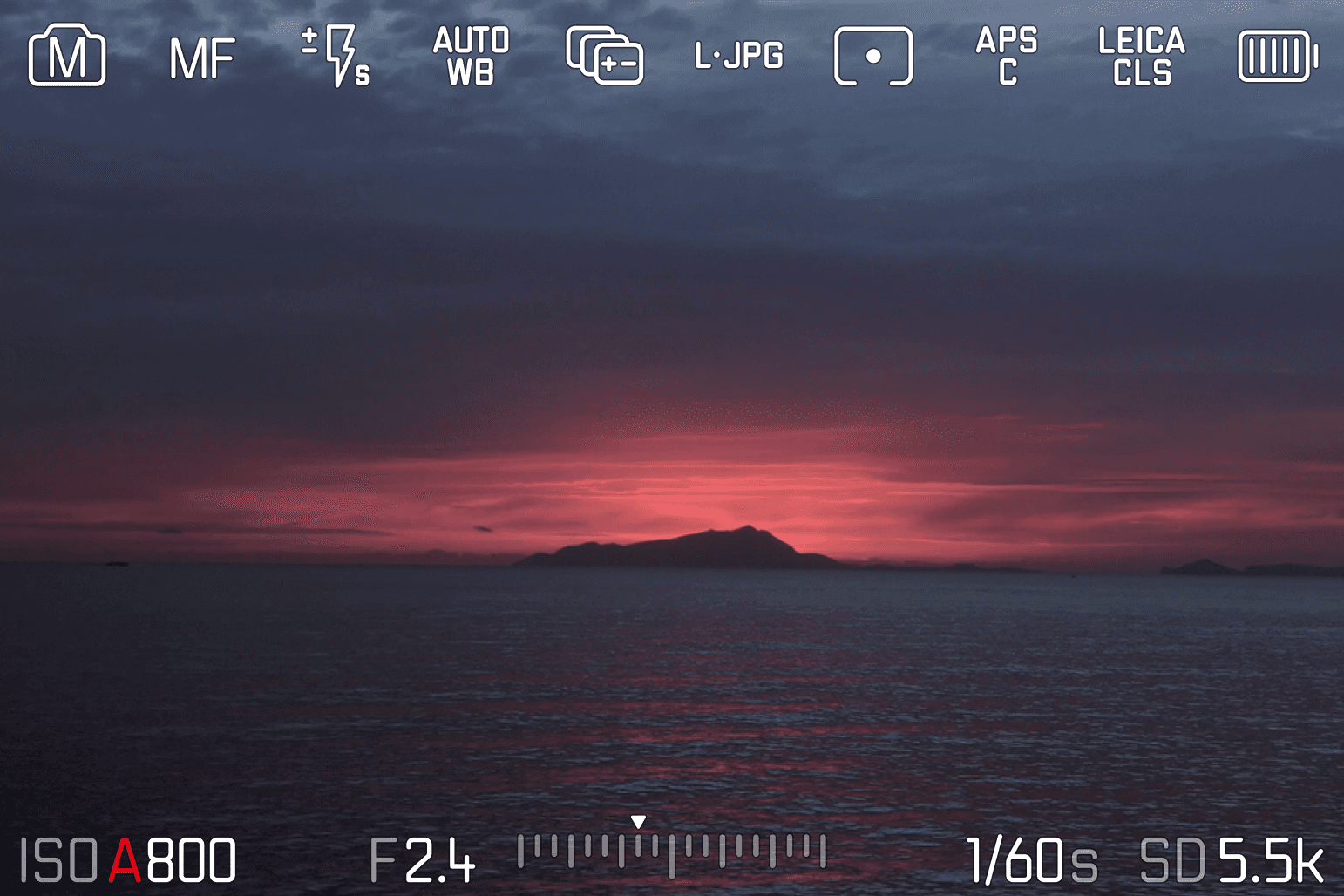
Liveview
Image-focused experience, streamlined to essentials, with simplified iconography that enhances legibility and accessibility.
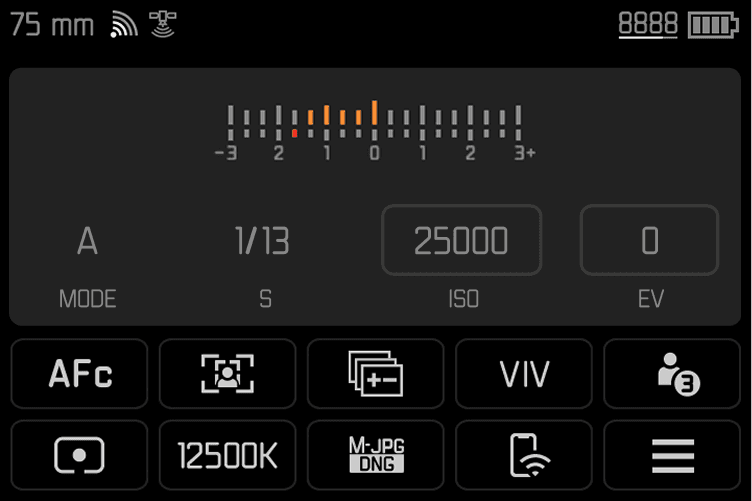
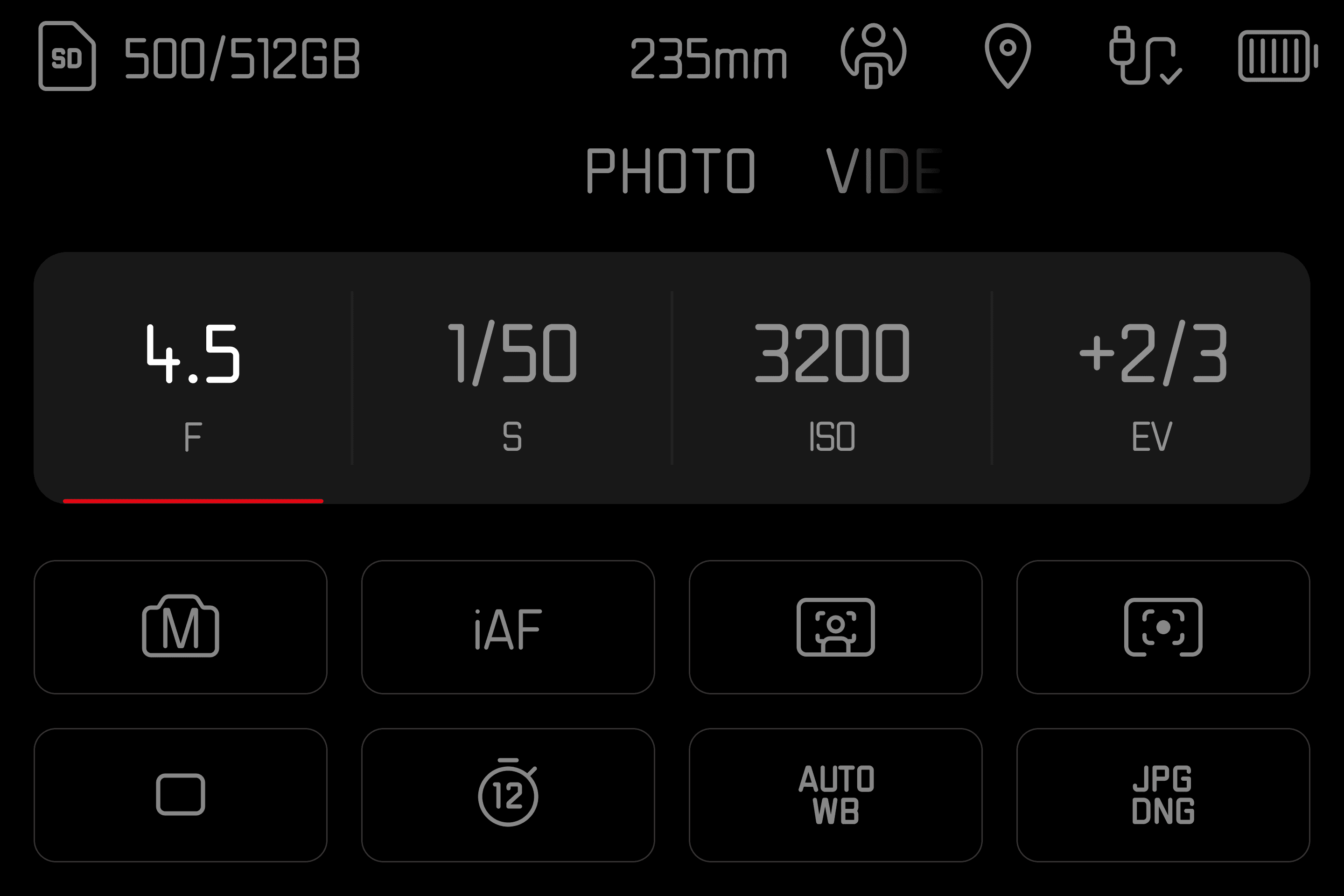
Control Center
With a clear visual hierarchy, intuitive layout, and simplified controls, the interface keeps essential information in focus and easy to navigate.
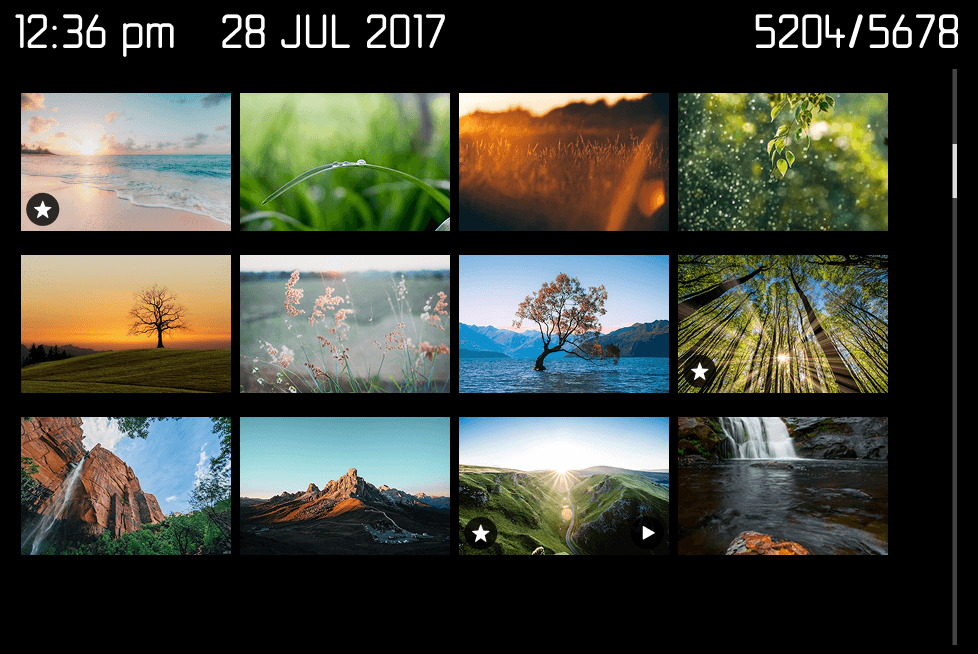
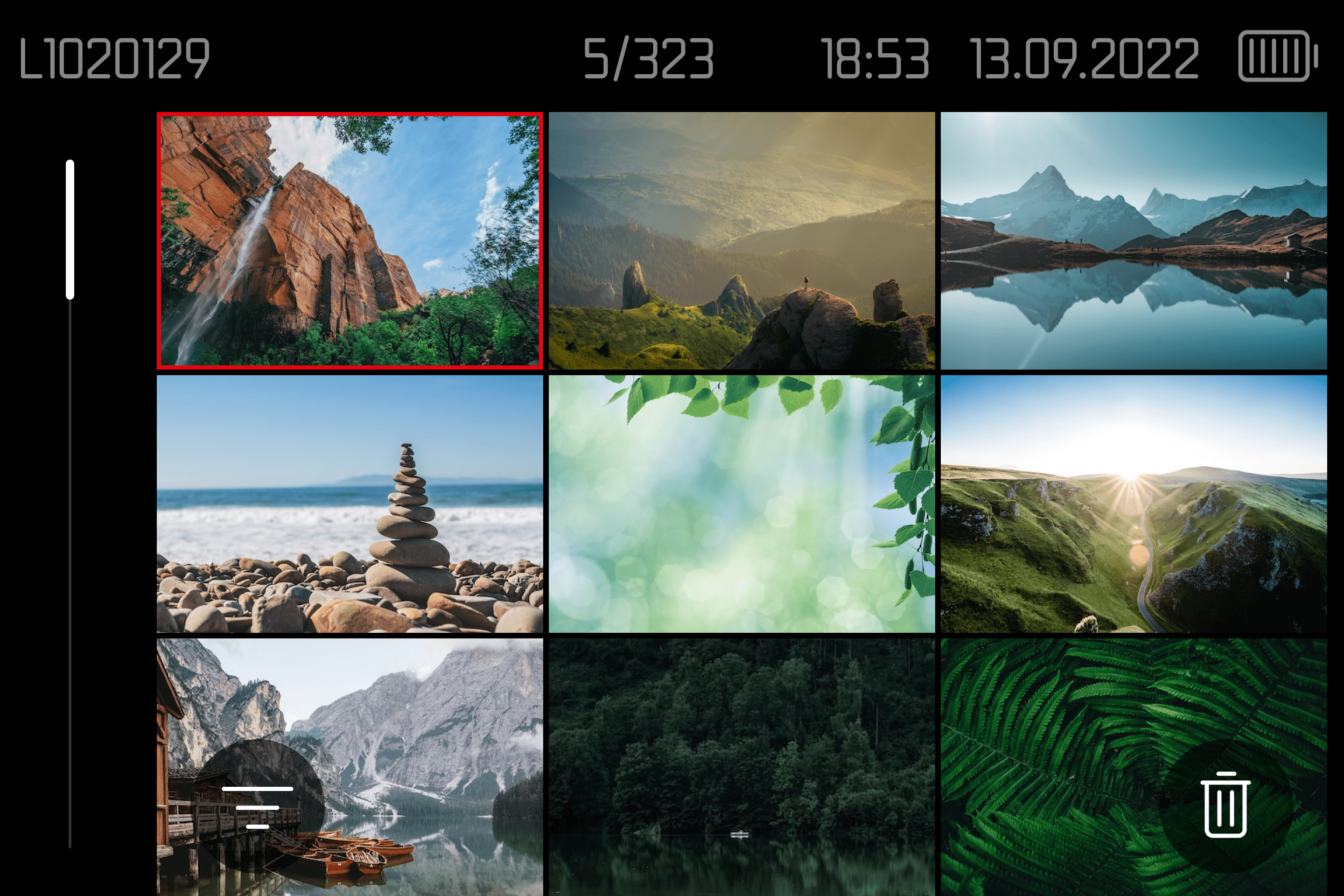
Gallery
The gallery displays larger images, allowing for easy browsing and review directly from the camera, with minimal EXIF data to keep attention on the visuals.
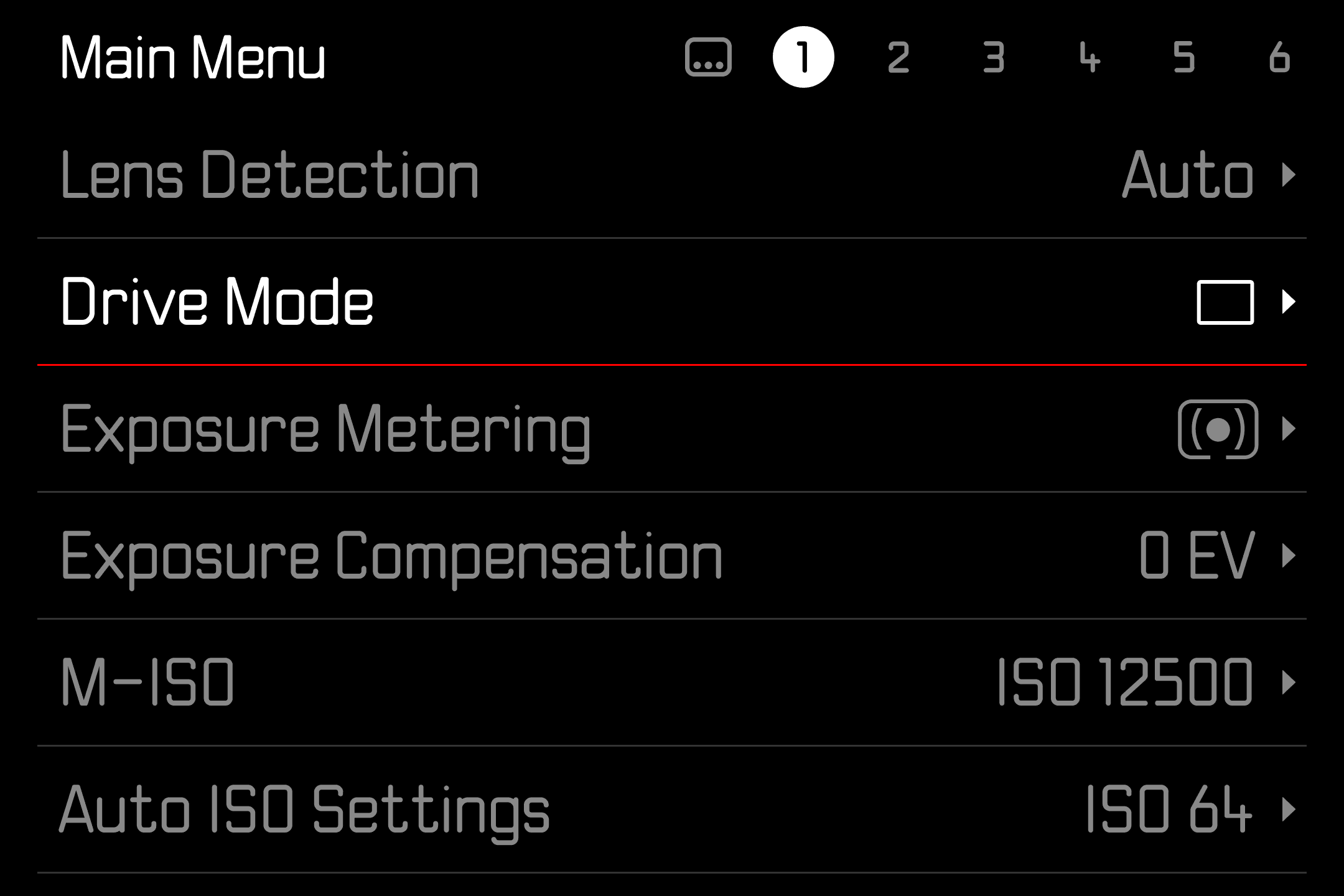
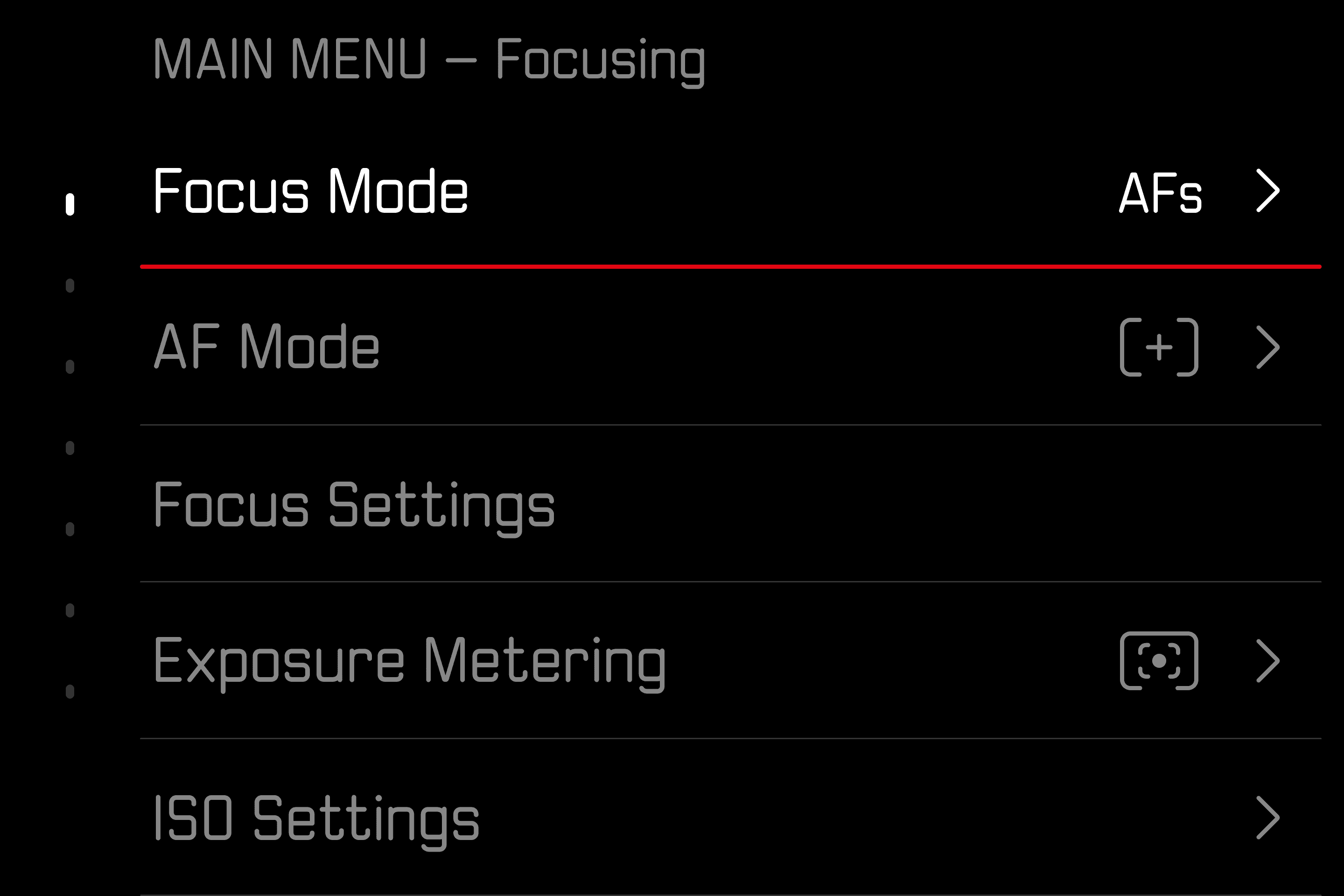
Main Menu
Intuitive settings groups, paired with clear typography and a simplified layout, make navigation feel natural and easy to scan.
Liveview
Image-focused experience, streamlined to essentials, with simplified iconography that enhances legibility and accessibility.
Control Center
With a clear visual hierarchy, intuitive layout, and simplified controls, the interface keeps essential information in focus and easy to navigate.
Gallery
The gallery displays larger images, allowing for easy browsing and review directly from the camera, with minimal EXIF data to keep attention on the visuals.
Main Menu
Intuitive settings groups, paired with clear typography and a simplified layout, make navigation feel natural and easy to scan.
Liveview
Image-focused experience, streamlined to essentials, with simplified iconography that enhances legibility and accessibility.
Control Center
With a clear visual hierarchy, intuitive layout, and simplified controls, the interface keeps essential information in focus and easy to navigate.
Gallery
The gallery displays larger images, allowing for easy browsing and review directly from the camera, with minimal EXIF data to keep attention on the visuals.
Main Menu
Intuitive settings groups, paired with clear typography and a simplified layout, make navigation feel natural and easy to scan.
Liveview
Image-focused experience, streamlined to essentials, with simplified iconography that enhances legibility and accessibility.
Control Center
With a clear visual hierarchy, intuitive layout, and simplified controls, the interface keeps essential information in focus and easy to navigate.
Gallery
The gallery displays larger images, allowing for easy browsing and review directly from the camera, with minimal EXIF data to keep attention on the visuals.
Main Menu
Intuitive settings groups, paired with clear typography and a simplified layout, make navigation feel natural and easy to scan.
Liveview
Image-focused experience, streamlined to essentials, with simplified iconography
that enhances legibility and accessibility.
Control Center
With a clear visual hierarchy, intuitive layout, and simplified controls, the interface keeps essential information in focus and easy to navigate.
Gallery
The gallery displays larger images, allowing for easy browsing and review directly from the camera, with minimal EXIF data to keep attention on the visuals.
Main Menu
Intuitive settings groups, paired with clear typography and a simplified layout, make navigation feel natural and easy to scan.
Liveview
Image-focused experience, streamlined to essentials, with simplified iconography
that enhances legibility and accessibility.
Control Center
With a clear visual hierarchy, intuitive layout, and simplified controls, the interface keeps essential information in focus and easy to navigate.
Gallery
The gallery displays larger images, allowing for easy browsing and review directly from the camera, with minimal EXIF data to keep attention on the visuals.
Main Menu
Intuitive settings groups, paired with clear typography and a simplified layout, make navigation feel natural and easy to scan.
Liveview
Image-focused experience, streamlined to essentials, with simplified iconography
that enhances legibility and accessibility.
Control Center
With a clear visual hierarchy, intuitive layout, and simplified controls, the interface keeps essential information in focus and easy to navigate.
Gallery
The gallery displays larger images, allowing for easy browsing and review directly from the camera, with minimal EXIF data to keep attention on the visuals.
Main Menu
Intuitive settings groups, paired with clear typography and a simplified layout, make navigation feel natural and easy to scan.
Liveview
Image-focused experience, streamlined to essentials, with simplified iconography
that enhances legibility and accessibility.
Control Center
With a clear visual hierarchy, intuitive layout, and simplified controls, the interface keeps essential information in focus and easy to navigate.
Gallery
The gallery displays larger images, allowing for easy browsing and review directly from the camera, with minimal EXIF data to keep attention on the visuals.
Main Menu
Intuitive settings groups, paired with clear typography and a simplified layout, make navigation feel natural and easy to scan.
Liveview
Image-focused experience, streamlined to essentials, with simplified iconography
that enhances legibility and accessibility.
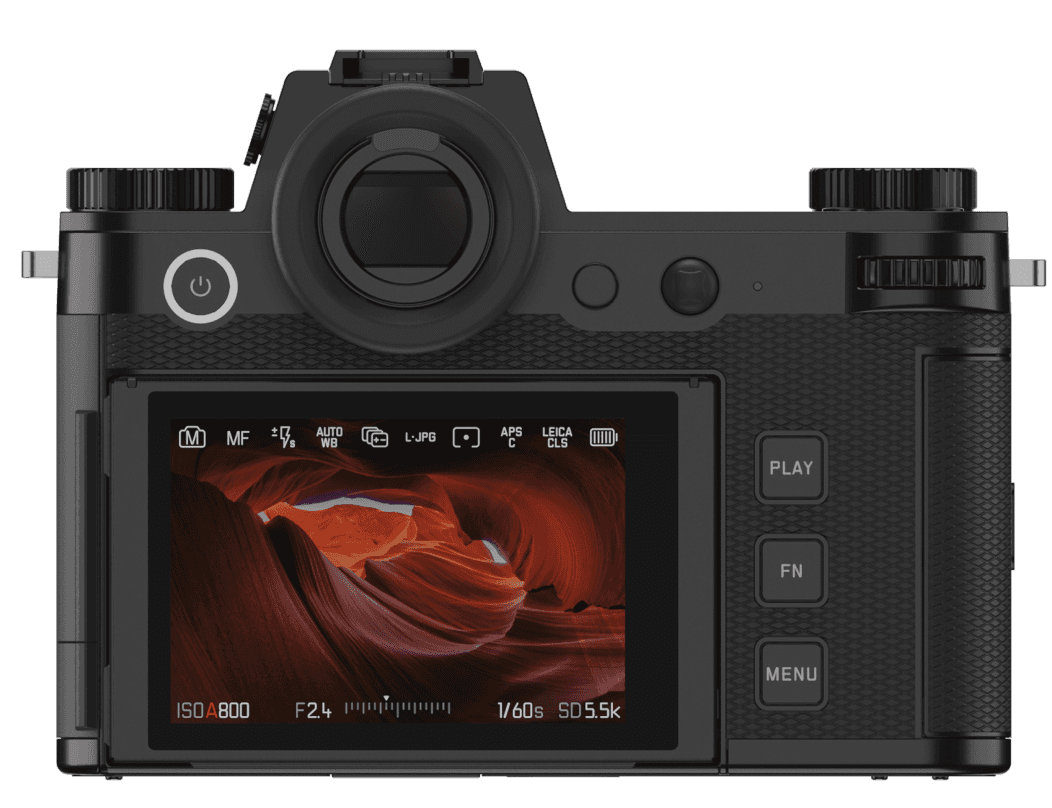
Control Center
With a clear visual hierarchy, intuitive layout, and simplified controls, the interface keeps essential information in focus and easy to navigate.
Gallery
The gallery displays larger images, allowing for easy browsing and review directly from the camera, with minimal EXIF data to keep attention on the visuals.
Main Menu
Intuitive settings groups, paired with clear typography and a simplified layout, make navigation feel natural and easy to scan.
Liveview
Image-focused experience, streamlined to essentials, with simplified iconography
that enhances legibility and accessibility.
Control Center
With a clear visual hierarchy, intuitive layout, and simplified controls, the interface keeps essential information in focus and easy to navigate.
Gallery
The gallery displays larger images, allowing for easy browsing and review directly from the camera, with minimal EXIF data to keep attention on the visuals.
Main Menu
Intuitive settings groups, paired with clear typography and a simplified layout, make navigation feel natural and easy to scan.
Liveview
Image-focused experience, streamlined to essentials, with simplified iconography
that enhances legibility and accessibility.
Control Center
With a clear visual hierarchy, intuitive layout, and simplified controls, the interface keeps essential information in focus and easy to navigate.
Gallery
The gallery displays larger images, allowing for easy browsing and review directly from the camera, with minimal EXIF data to keep attention on the visuals.
Main Menu
Intuitive settings groups, paired with clear typography and a simplified layout, make navigation feel natural and easy to scan.
Liveview
Image-focused experience, streamlined to essentials, with simplified iconography
that enhances legibility and accessibility.
Control Center
With a clear visual hierarchy, intuitive layout, and simplified controls, the interface keeps essential information in focus and easy to navigate.
Gallery
The gallery displays larger images, allowing for easy browsing and review directly from the camera, with minimal EXIF data to keep attention on the visuals.
Main Menu
Intuitive settings groups, paired with clear typography and a simplified layout, make navigation feel natural and easy to scan.
Liveview
Image-focused experience, streamlined to essentials, with simplified iconography that enhances legibility and accessibility.
Control Center
With a clear visual hierarchy, intuitive layout, and simplified controls, the interface keeps essential information in focus and easy to navigate.
Gallery
The gallery displays larger images, allowing for easy browsing and review directly from the camera, with minimal EXIF data to keep attention on the visuals.
Main Menu
Intuitive settings groups, paired with clear typography and a simplified layout, make navigation feel natural and easy to scan.
Liveview
Image-focused experience, streamlined to essentials, with simplified iconography that enhances legibility and accessibility.
Control Center
With a clear visual hierarchy, intuitive layout, and simplified controls, the interface keeps essential information in focus and easy to navigate.
Gallery
The gallery displays larger images, allowing for easy browsing and review directly from the camera, with minimal EXIF data to keep attention on the visuals.
Main Menu
Intuitive settings groups, paired with clear typography and a simplified layout, make navigation feel natural and easy to scan.
Liveview
Image-focused experience, streamlined to essentials, with simplified iconography that enhances legibility and accessibility.
Control Center
With a clear visual hierarchy, intuitive layout, and simplified controls, the interface keeps essential information in focus and easy to navigate.
Gallery
The gallery displays larger images, allowing for easy browsing and review directly from the camera, with minimal EXIF data to keep attention on the visuals.
Main Menu
Intuitive settings groups, paired with clear typography and a simplified layout, make navigation feel natural and easy to scan.
Liveview
Image-focused experience, streamlined to essentials, with simplified iconography that enhances legibility and accessibility.
Control Center
With a clear visual hierarchy, intuitive layout, and simplified controls, the interface keeps essential information in focus and easy to navigate.
Gallery
The gallery displays larger images, allowing for easy browsing and review directly from the camera, with minimal EXIF data to keep attention on the visuals.
Main Menu
Intuitive settings groups, paired with clear typography and a simplified layout, make navigation feel natural and easy to scan.
Photographers’ experience lifecycle
Photographers’ experience lifecycle
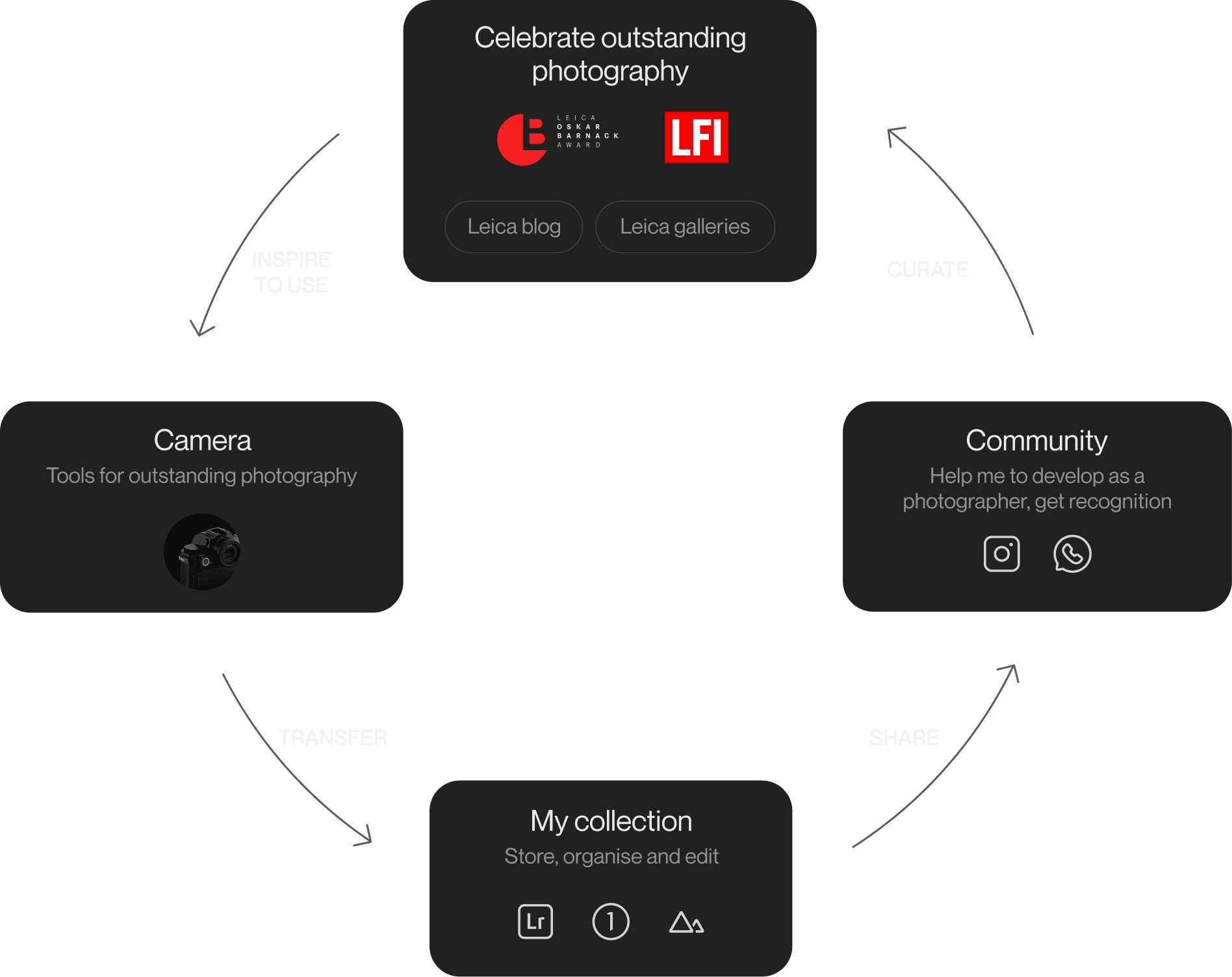
Photographers begin their journey inspired by outstanding photography. The new design bridges that inspiration with the tools to capture it, making the camera a natural extension of the creative process
Photographers begin their journey inspired by outstanding photography. The new design bridges that inspiration with the tools to capture it, making the camera a natural extension of the creative process
Photographers begin their journey inspired by outstanding photography. The new design bridges that inspiration with the tools to capture it, making the camera a natural extension of the creative process
Reimagined interaction model providing seamless
and intuitive access to essential camera controls
Reimagined interaction model providing seamless
and intuitive access to essential camera controls
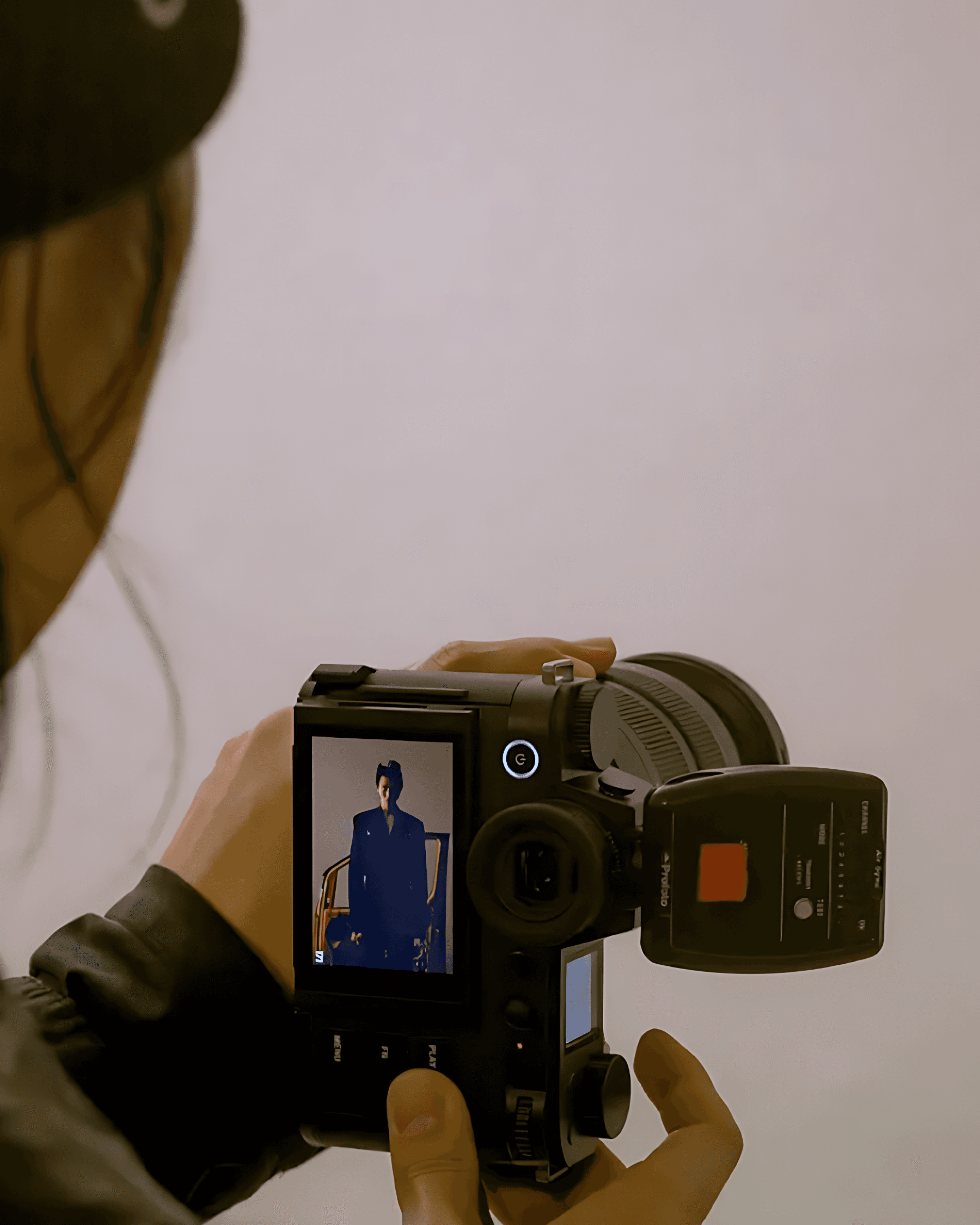
Reimagined interaction model providing seamless and intuitive access to essential camera controls
Swipe up – reveals essential settings, swipe down – opens the gallery. In harmony with the physical controls, this interaction model offers immediate access throughout the experience, ensuring a faster, more fluid workflow.
Swipe up – reveals essential settings, swipe down – opens the gallery. In harmony with the physical controls, this interaction model offers immediate access throughout the experience, ensuring a faster, more fluid workflow.
unified interaction
unified interaction
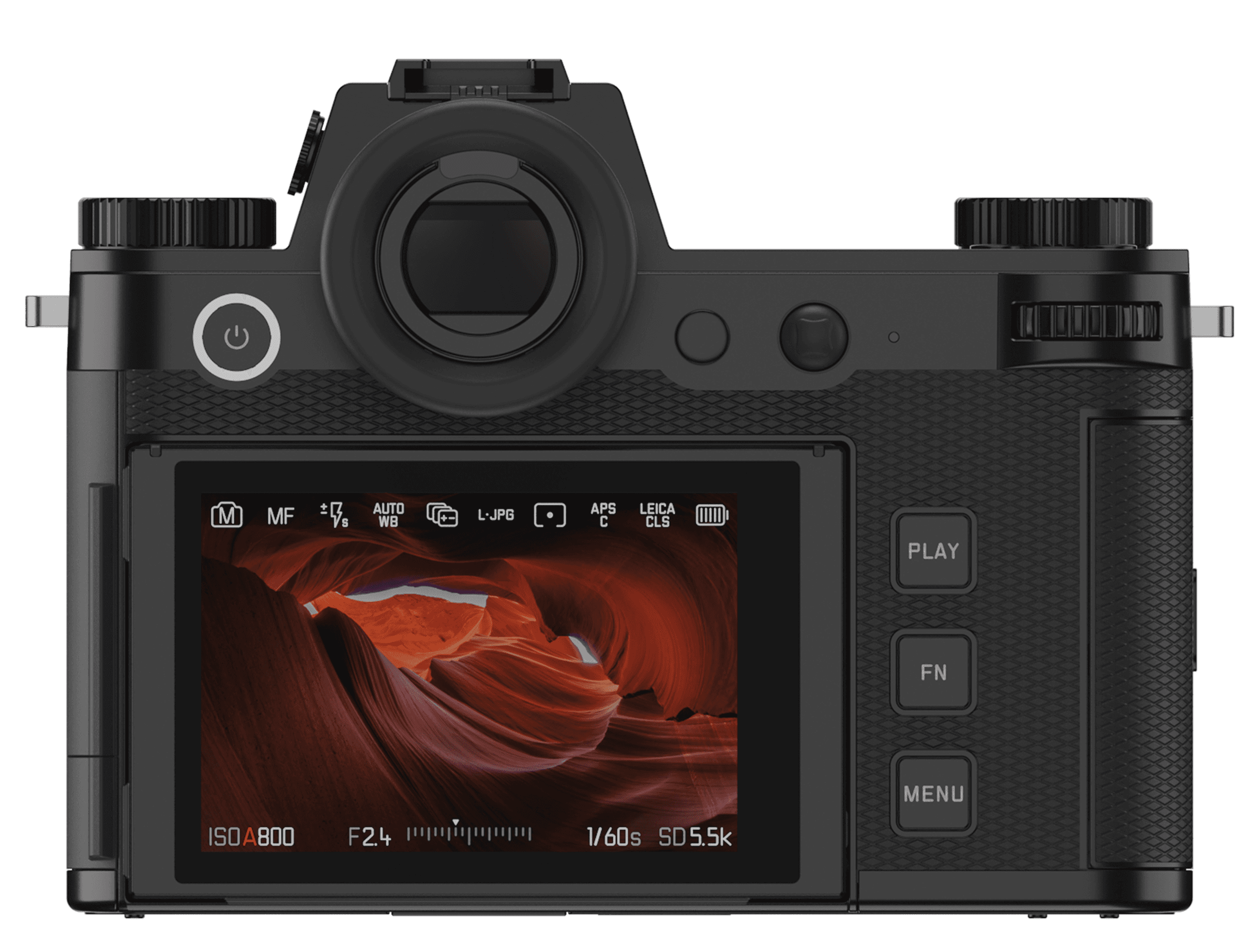
Touch works seamlessly with physical controls, preserving Leica’s tactile essence, while enhancing ergonomics and speed
Touch works seamlessly with physical controls, preserving Leica’s tactile essence, while enhancing ergonomics and speed
Touch works seamlessly with physical
controls, preserving Leica’s tactile essence, while enhancing ergonomics and speed
Touch works seamlessly with physical controls, preserving Leica’s tactile essence, while enhancing ergonomics and speed
It supports photographers’ different shooting scenarios: whether making quick on-screen adjustments or controlling settings through physical dials.
It supports photographers’ different shooting scenarios: whether making quick on-screen adjustments or controlling settings through physical dials.
Touch-optimised display
Touch-optimised display
Introduced the ability to create a minimalist display tailored to users’ needs
Introduced the ability to create a minimalist display tailored to users’ needs
Introduced the ability to create a minimalist display tailored to users’ needs
Personalised interface
Personalised interface
Top display
Top display
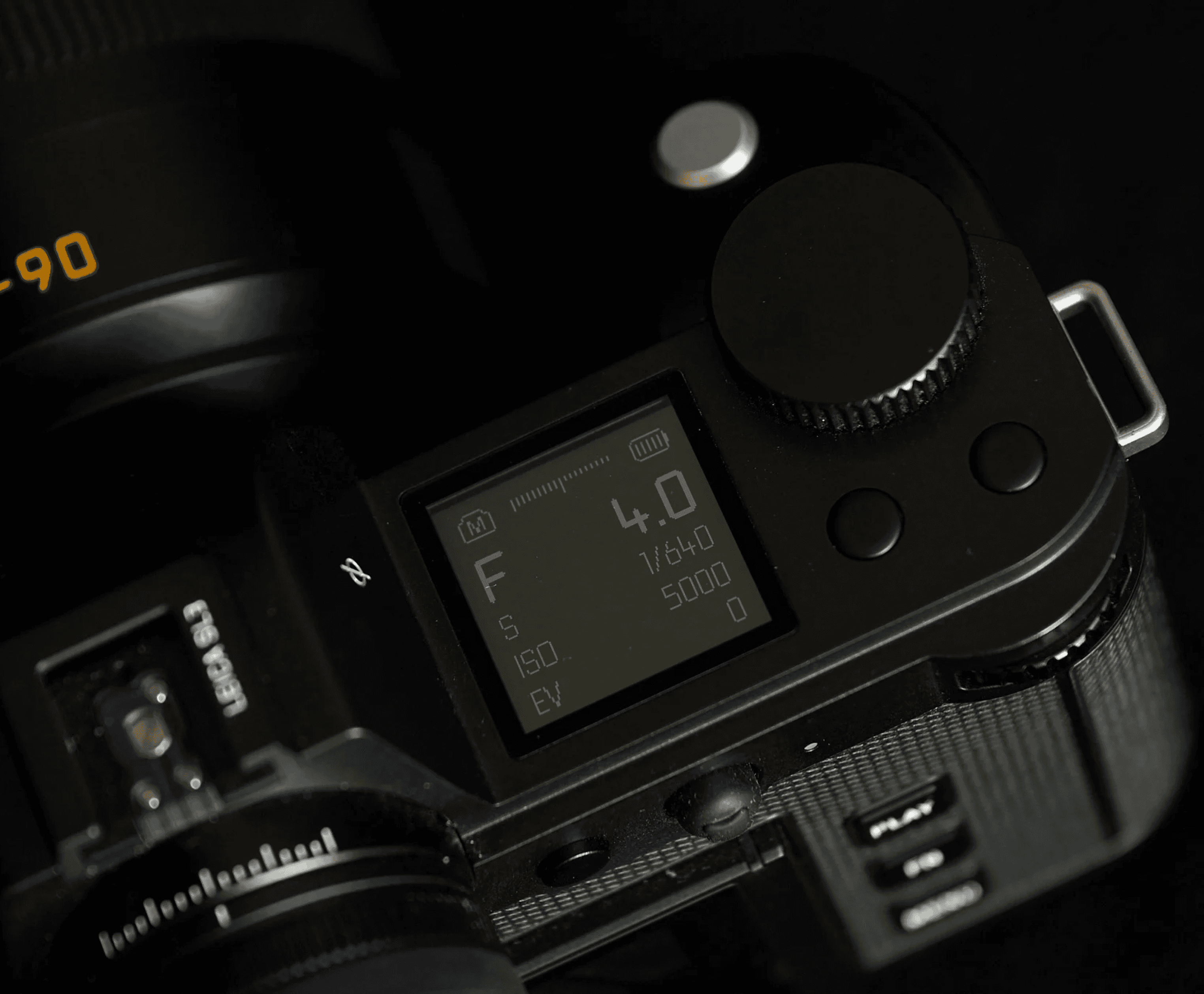
Designed to make essential settings and camera status immediately readable at a glance
Designed to make essential settings and camera status immediately readable at a glance
Designed to make essential settings and camera status immediately readable at a glance
Despite its compact size, the top display is highly legible and intuitive, providing immediate control over key settings while reflecting Leica’s philosophy of precision, simplicity, and purpose.
Despite its compact size, the top display is highly legible and intuitive, providing immediate control over key settings while reflecting Leica’s philosophy of precision, simplicity, and purpose.
Discoverability
Discoverability
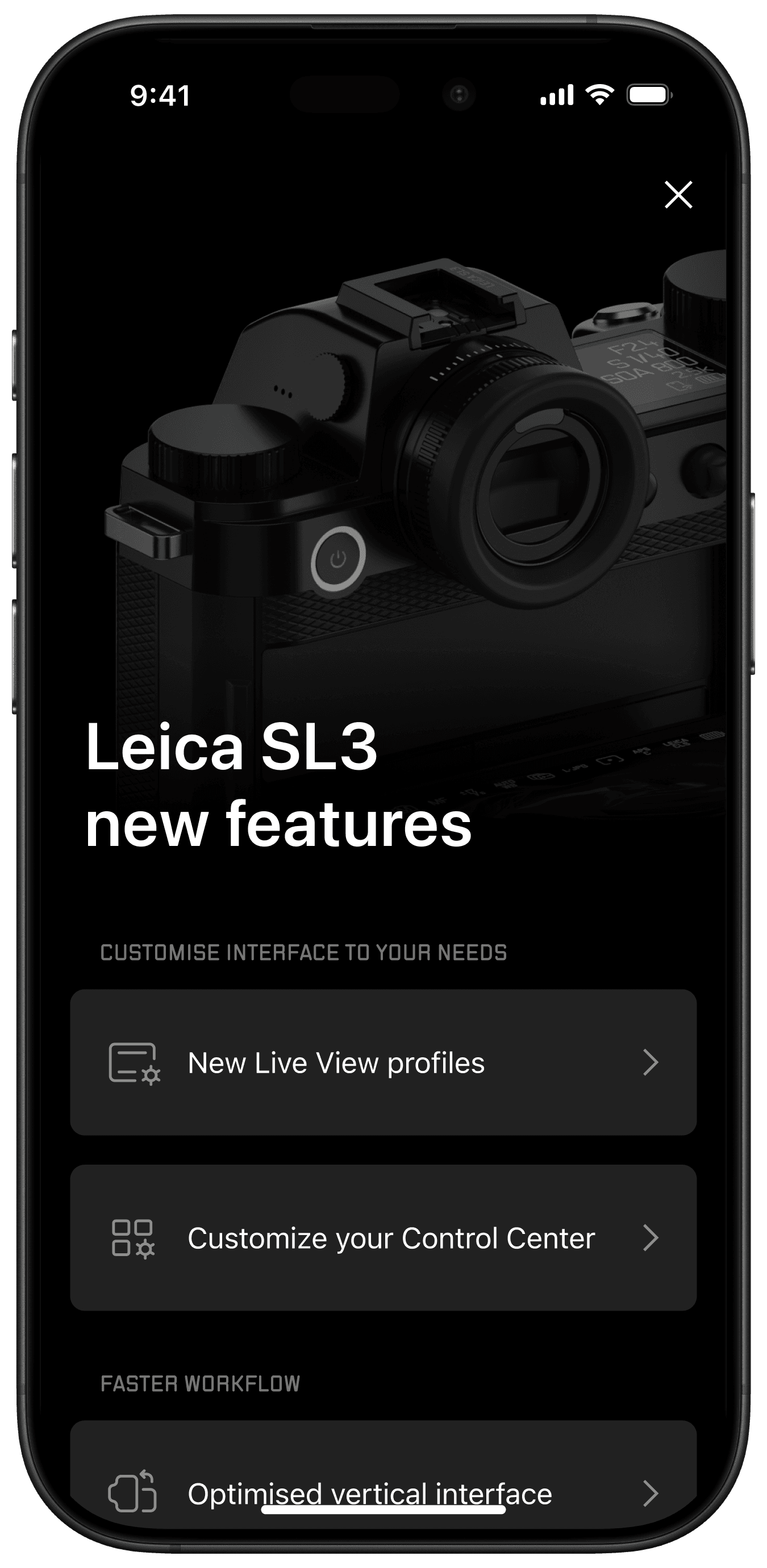
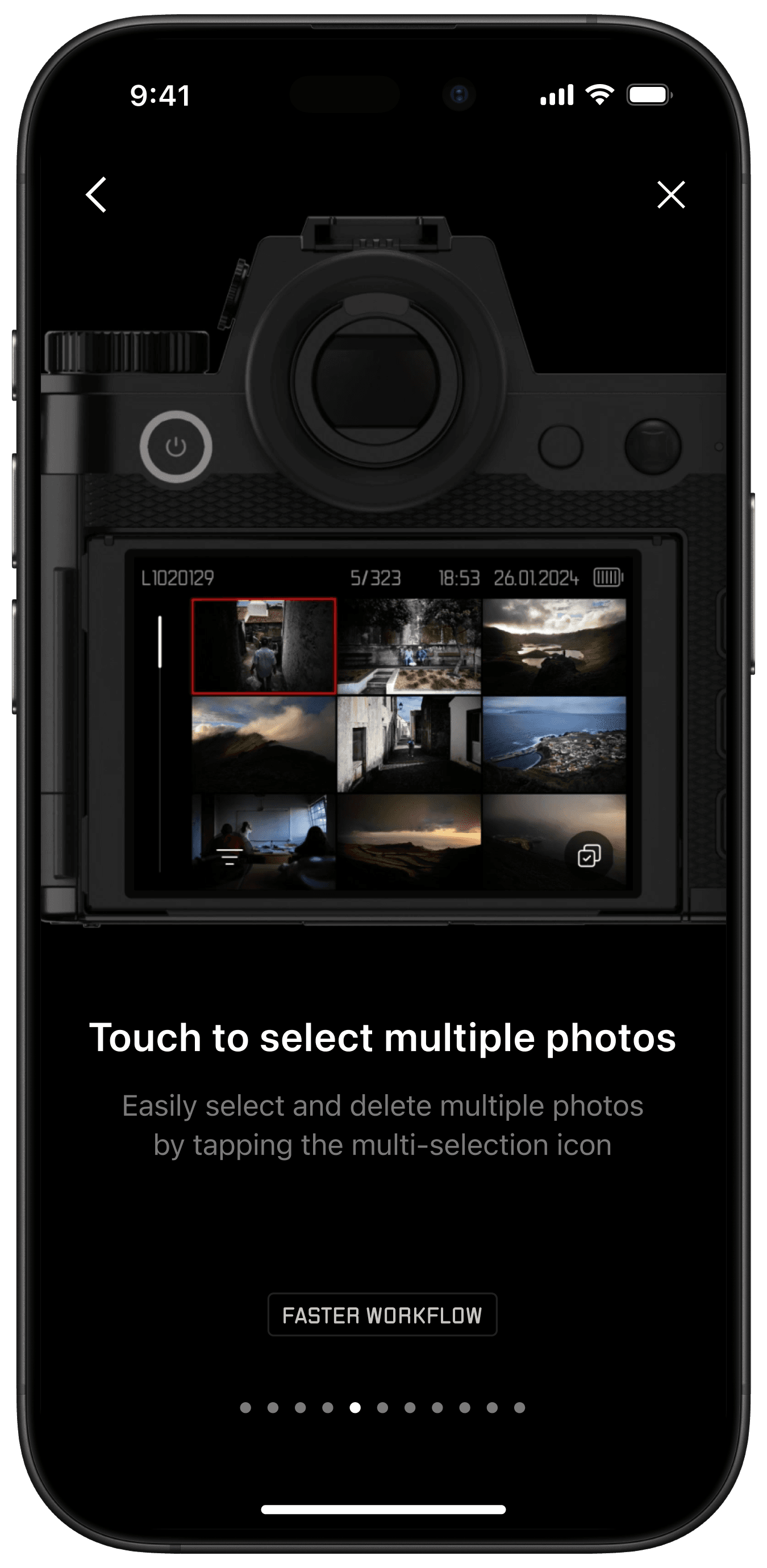
Launched the “What’s New” guide in the camera companion app alongside the camera release:
Launched the “What’s New” guide in the camera companion app alongside the camera release:
Launched the “What’s New” guide in the camera
companion app alongside the camera release:
Launched the “What’s New” guide in the camera companion app alongside the camera release:
Serves as an educational tool
Serves as an educational tool
Provides a marketing touchpoint
Provides a marketing touchpoint
Increases engagement with the app
Increases engagement with the app
Ecosystem integration
Ecosystem integration
Designed for seamless connectivity, allowing control of the essential camera functions directly from the phone
Designed for seamless connectivity, allowing control of the essential camera functions directly from the phone
Designed for seamless connectivity, allowing control of the essential camera functions directly from the phone
Usability testing
Usability testing
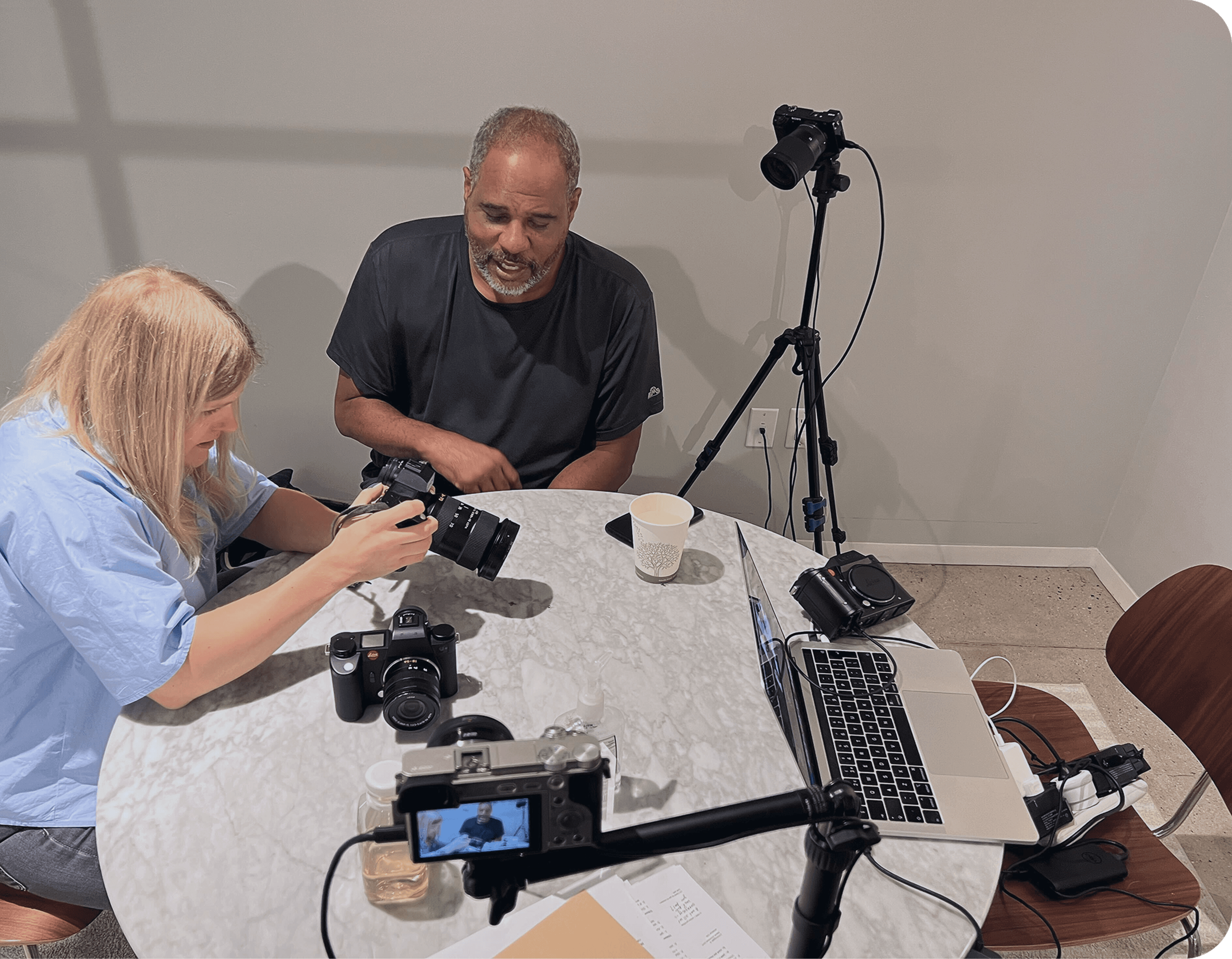
Validation confirmed usability and speed improvements, and highlighted areas currently being improved for future firmware releases
Validation confirmed usability and speed improvements, and highlighted areas currently being improved for future firmware releases
Validation confirmed usability and speed improvements, and highlighted areas currently being improved for future firmware releases
New York
New York
10 sessions
10 sessions
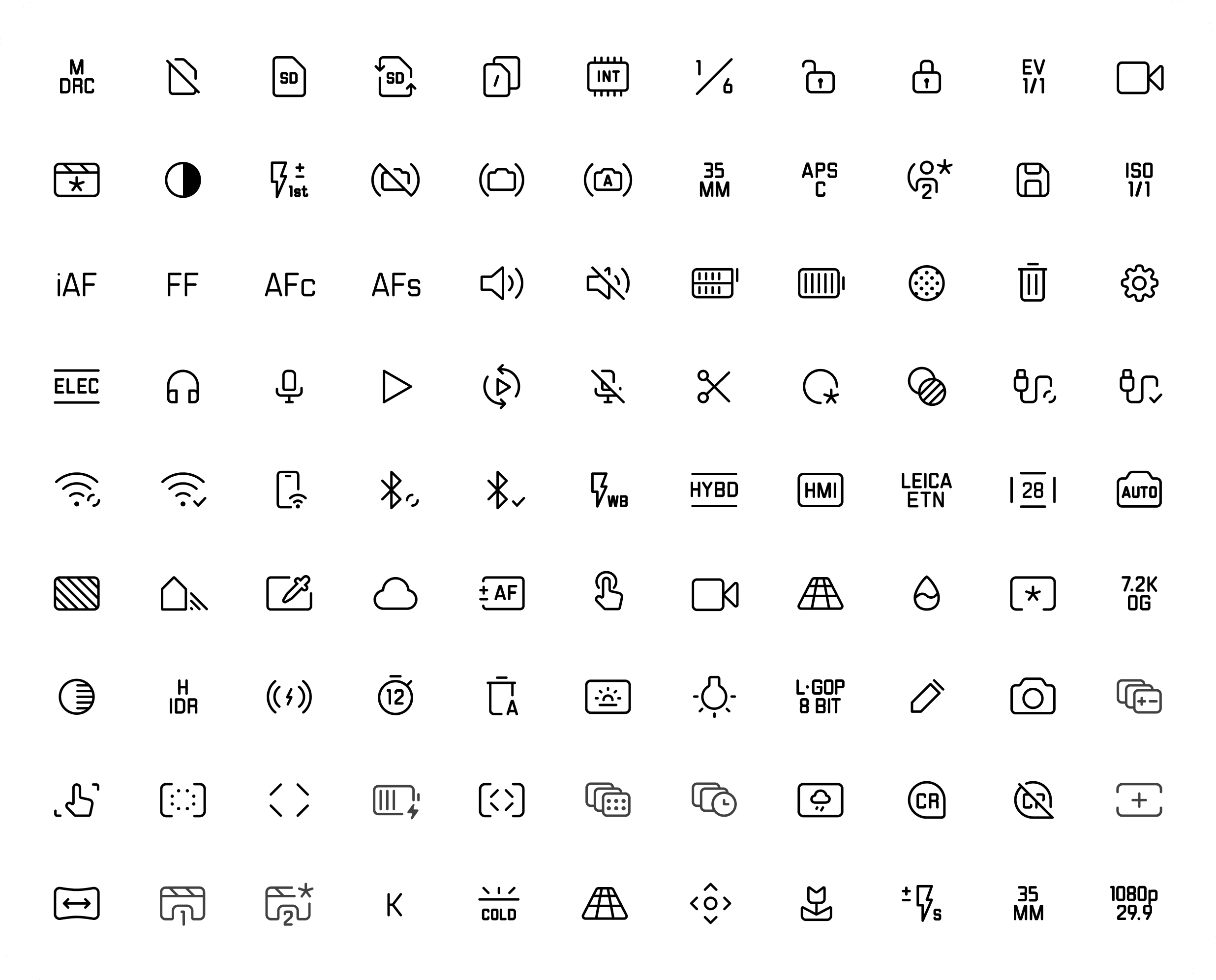
300+ icons designed as an extension of Leica’s iconic typeface
300+ icons designed as an extension of Leica’s iconic typeface
300+ icons
designed as an extension of Leica’s iconic typeface
300+ icons designed as an extension of Leica’s iconic typeface
Every icon echoes the precision and craftsmanship of Leica typography, forming a cohesive visual language that brings clarity and consistency to camera interfaces.
Every icon echoes the precision and craftsmanship of Leica typography, forming a cohesive visual language that brings clarity and consistency to camera interfaces.

Stroke ends
Stroke ends
Stroke
Stroke ends
Thickness
Thickness
Thickness
Thickness
Radius
Radius
Radius
Radius
Icons are based on the Leica typeface, with a repeating rectangular form present in most letters.
Icons are based on the Leica typeface, with a repeating rectangular form present in most letters.
Design system
Design system
We established a design foundation to ensure a consistent, coherent, and accessible experience across the product ecosystem
We established a design foundation to ensure a consistent, coherent, and accessible experience across the product ecosystem
We established a design foundation to ensure a consistent, coherent, and accessible experience across the product ecosystem
Outcome
Outcome
We’ve elevated the Leica experience to a new level, blending the brand’s legendary heritage with a digital interface designed to prioritize the art of photography.
Every control, menu, and gesture has been refined into a unified system that makes the workflow faster, more intuitive, and precise.
This approach aligns with Leica’s vision of timeless quality, honoring the habits of long-time users while remaining effortlessly accessible to those experiencing Leica for the first time.
We’ve elevated the Leica experience to a new level, blending the brand’s legendary heritage with a digital interface designed to prioritize the art of photography.
Every control, menu, and gesture has been refined into a unified system that makes the workflow faster, more intuitive, and precise.
This approach aligns with Leica’s vision of timeless quality, honoring the habits of long-time users while remaining effortlessly accessible to those experiencing Leica for the first time.
We’ve elevated the Leica experience to a new level, blending the brand’s legendary heritage with a digital interface designed to prioritize the art of photography.
Every control, menu, and gesture has been refined into a unified system that makes the workflow faster, more intuitive, and precise.
This approach aligns with Leica’s vision of timeless quality, honoring the habits of long-time users while remaining effortlessly accessible to those experiencing Leica for the first time.